





Skip to content

The Ultimate Automotive Service Solution For You And Your Customers

Hub Pro puts your multi-location workshop and service operation in one place, helping you deliver a better experience for your customers and your teams.

Connect bookings, scheduling, jobs, parts, payments, communications and reporting in one operational environment. With a complete view of your network, you can improve efficiency, strengthen control and keep every location working consistently.

Built from real automotive operations, Hub Pro gives you the tools to modernize service delivery from the first booking to the final report.

Request a Demo

Avaylerhub pro-1

Turn Disconnected Systems Into A More Connected Operation

As your automotive service network grows, so does the number of systems your teams rely on. One tool manages bookings. Another manages the workshop. Inventory, payments, customer communications and reporting can all sit elsewhere.

When those systems do not work together, every job creates more administration, more handoffs and more opportunities for information to be missed. Hub Pro brings the service journey together so you can stay in control as your network grows.


Avayler Hub pro illustration-1

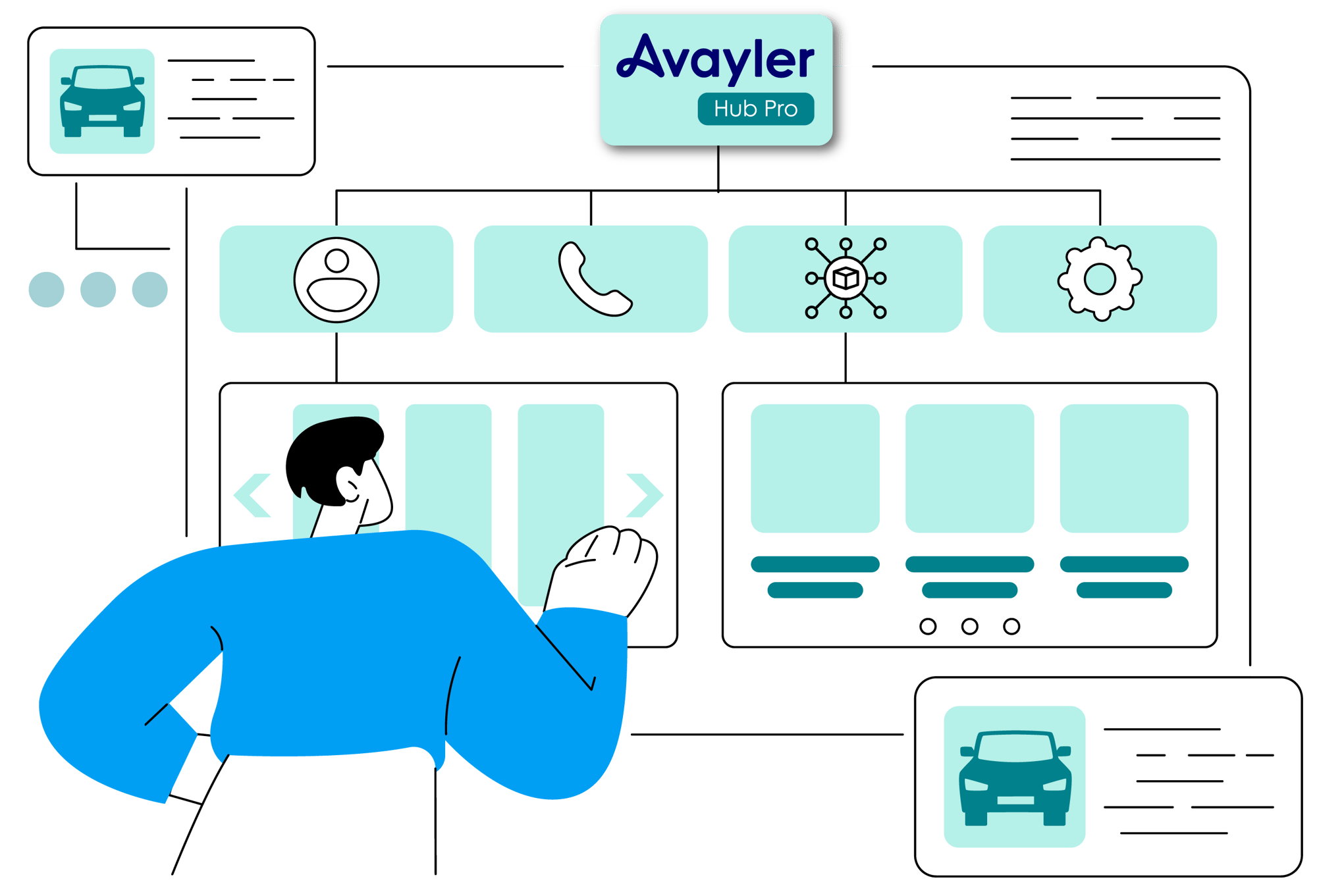
Hub Pro connects these workflows in one place, giving you a clearer view of your operation and more control over the customer journey.

You may already recognise the signs:
number-1
Your teams enter or check the same information in more than one system.
number-2
Your locations follow different processes for the same type of work.
number-3
Jobs wait for approvals, parts, updates or manual intervention.
number-4
You lack a clear view of work in progress, Stock and performance.
number-5
Customer updates are disconnected from workshop activity.
number-6
Your reporting depends on information gathered from several sources.

Explore Hub Pro's Shop Management Features

Give your teams the tools to manage every stage of the workshop journey in one connected platform. Hub Pro helps you reduce manual handoffs, keep information moving and deliver a more consistent experience across your network.

Customer Portal & Booking

Give your customers a fast, straightforward way to book services, manage appointments and access relevant service information. Connect every booking to the operational workflow that follows, so your teams can act on the same information from the start.

Dynamic Pricing & Job Scheduling

Shape bookings around your real capacity, service availability, technician skills and operating requirements. Help your teams plan work more effectively, fill available slots and make better use of capacity across the network.

Job Management

Keep every job moving with connected work orders, statuses, tasks, approvals and quality-control activities. Give your teams a consistent view of what needs to happen next, from arrival through to completion.

Parts & Order Management

Put stock, supplier and order information alongside the jobs that need it. Improve visibility of parts usage and order progress, helping your teams find what they need and keep work on track across locations.

Customer App & Communications

Give your customers the transparency they expect with connected updates, approvals and service information. Give front-of-house teams the visibility they need to answer questions quickly and confidently.

Technician App

Put assigned work, job details, tasks, notes, images and status updates in your technicians' hands. Capture operational information as work is completed, helping teams spend less time switching between systems and records.

Estimates, Invoices & Payments

Make it easier for customers to review estimates, approve work and complete payment. Connect each commercial step to the wider service journey, reducing manual handoffs and giving your teams a clearer view of progress.

Reporting & Operational Visibility

Turn connected data from jobs, technicians, parts, customers and locations into a clearer view of your operation. Use dashboards, reporting and data connections to understand performance and make better enterprise decisions.

Connect Every Stage Of The Service Journey

number-1

Book

Your customer selects a service and location.

number-2

Plan

You schedule capacity, work and resources.

number-3

Deliver

Your technicians complete assigned work.

number-4

Inform

You keep customers updated and capture approvals.

number-5

Complete

Your teams close parts, payment and job records.

number-6

Improve

You review operational performance and trends.

With every stage connected, you can reduce duplicated administration,
create clearer ownership and give every team a consistent view of the service journey.

0
% in job productivity
0
% in utilization
0
+ points on TrustPilot
0
% calls to customer support

Stay In Control Across Every Location

Your customers expect the same high standard of service wherever they visit. At the same time, every location needs the flexibility to respond to local demand, team availability and day-to-day pressures.

Hub Pro helps you set clear ways of working across the network while giving local teams the information and workflows they need to deliver at their best.

Enhance Workshop Performance

Create Consistent Ways Of Working

Create clear, consistent workflows for bookings, jobs, approvals, inspections, parts and customer updates across your network.

Standardise Operations

Configure Hub Pro Around Your Business

Shape Hub Pro around your locations, service models, user roles and workflow requirements, giving you the flexibility you need without turning the platform into a bespoke software build.
Integrate Your Ecosystem

Keep Control Across The Network

Manage users, locations, permissions and operational controls in one place, giving your central teams stronger oversight and clearer accountability.

toolbox-icon

Give Local Teams Room To Deliver

Give your workshop and service teams the visibility to manage day-to-day work confidently while operating within the standards you set across the wider organization.

With every stage connected, you can reduce duplicated administration, create clearer ownership and give every team a consistent view of the service journey.

Help Every Team Work Smarter

Give every team the information they need to keep work moving. Hub Pro connects people, jobs and operational data, helping you reduce friction, improve consistency and create a smoother service journey from front of house to the workshop floor. 

clock-icon
Faster Job Progression

Give your teams clear status, ownership and next-step information so jobs move forward without getting stuck between departments, locations or systems.

Enhance Workshop Performance
Clearer Technician Workflows

Put assigned work, job information, tasks and updates in one place, helping your technicians stay focused and complete work with confidence.

Standardise Operations
Stronger Stock Control

Connect parts, orders and job activity so your teams can quickly see what is required, what is available and what has already been used.

Assess Your Operation
Fewer Manual Handoffs

Reduce the time your teams spend moving information between separate booking, workshop, customer and commercial tools.

chat-circle-icon
More Consistent Customer Updates

Link customer communications with live job progress so your teams can provide clearer, faster and more consistent updates.

Improve Visibility
Better Operational Decisions

Use connected reporting to spot trends, compare activity and focus your improvement efforts where they can make the biggest difference.

Connect Hub Pro To The Systems Your Business Relies On

You have already invested in the systems that keep your business running. Finance, HR, CRM, supplier, payment, technical data and reporting platforms may already be embedded across your operation.

Hub Pro is designed to work with the technology you already depend on. Create a connected operational layer around automotive service delivery without replacing every established enterprise system in your business.

Connect Hub Pro across the systems that support your operation, including:

  • Enterprise resource planning and finance systems.
  • Human resources, identity and user-management systems.
  • Customer relationship management and communications platforms.
  • Supplier, parts, tire and technical data systems.
  • Payment providers and commercial systems.
  • Business intelligence, reporting and data platforms.

We work with your team to understand your systems, data flows and operational priorities, helping you build the right integration approach for your business.

See Integrations & API
desk-coffee-pc-curved
halfords-counter-service-curved

Obtain An Unrivalled Overview Of Your Operations

Give your local teams a clear view of the work in front of them and your central teams a complete picture of network performance. Hub Pro connects operational data from across the service journey, helping everyone work from the same information.

Use connected information to review the areas that matter most to your operation, including:

  • Your booking demand, capacity and scheduled work.
  • Job status, work in progress and completion.
  • Technician activity and workflow progression.
  • Parts, orders and stock-related operational activity.
  • Customer communications, approvals and service progress.
  • Location-level and network-level operational performance.

Turn operational data into action. Identify bottlenecks, compare activity and focus your improvement efforts across the network.

Supporting Your Business At Every Stage

Choosing the right platform is only the beginning. To deliver lasting value,
Hub Pro needs to fit your systems, processes and people, then become part of the way your teams work every day.

Pilot and validate

Discover

Map your locations, systems, workflows and goals.

Integrate Your Ecosystem

Configure

Align Hub Pro with your agreed operating model.

Connect Your Systems

Integrate

Plan connections with your wider ecosystem.

Assess Your Operation

Deploy

Roll out in a controlled way across teams and locations.

Train onboard teams

Adopt

Support your users through onboarding and training.

Operate at Scale

Optimize

Continue improving workflows and platform usage.

From discovery to ongoing optimization, Avayler supports you at every stage. Build confidence, increase adoption and keep improving the way Hub Pro supports your business long after go-live.

Screenshot 2026-09-07 at 14.02-optimized

Built By The Automotive Industry, For The Automotive Industry

Hub Pro is not software built around theory. It is shaped by the realities of running automotive service operations at scale, so you can put proven operational thinking at the heart of your transformation.

Avayler's story began inside Halfords, where technology was developed around the day-to-day needs of workshops, technicians, front-of-house teams, customers and operational leaders. That experience still shapes how Hub Pro is designed, configured and supported today.

Today, enterprise automotive organizations including Bridgestone and MyCar use Avayler technology to connect service workflows across complex, multi-location environments.

Meet Some Of Our Clients

Avayler helps some of the world's largest automotive service businesses meet customers’ expectations, run seamless operations, reduce costs, and increase profits

“At ATU, our aim is to differentiate our business in the automotive repair market. This means finding new ways to service our customers at times and places that suit them, outside of our physical workshops. Avayler Mobile was a perfect fit for this ambition, and we saw synergy with Halfords and Avayler from both a business strategy and technology perspective.”

Lars Heynes
LARS HEYNES

CTO, ATU

"Online tire buying and mobile service delivery is so much more nuanced than just opening the doors and expecting customers to come to you. When your installation process is on wheels, controlling variables requires dedicated software support. One of the key tools, certainly from a mobile point of view, to get to where TireBuyer wants to go, is the Avayler platform."

Mike Welch
MIKE WELCH

CEO, Tirebuyer

“As the trend toward mobile tire installation continues to grow, ATD is looking forward to accelerating access to best-in-class technology for our customers that are interested in entering the mobile tire installation business. We’re excited to partner with Avayler to bring this offering to our tire retailers.”

STUART SCHUETTE
STUART SCHUETTE

President & CEO, ATD

aVAYLER hub pro illustration computer

Tool Up Your Automotive Service Network With Hub Pro

Bring your workshop operations, teams and customer journey together in one connected platform. Hub Pro gives you the visibility and control to improve service efficiency and deliver consistently across your network.

Talk to the Avayler team about your locations, service model, existing systems and rollout plans.

We will shape your demonstration around the workflows and priorities that matter to your business, giving you a clear view of how Hub Pro can support your operation.

Request a Demo

Find Out More About Avayler

Frequently Asked Questions

What is Avayler Hub Pro?

Hub Pro is Avayler's flagship enterprise workshop and service management platform. It connects bookings, scheduling, jobs, parts, payments, customer communications and reporting across multi-location automotive service operations.

Who is Hub Pro designed for?

Hub Pro is designed for enterprise automotive organizations operating multiple workshops, garages, tire and service centers, franchise service locations or other complex fixed-site service networks. It is not positioned as a basic jobmanagement tool for a single independent garage.

How is Hub Pro different from traditional garage management software?

Traditional garage management software often focuses on day-to-day activity within one location. Hub Pro is designed for networks that need central visibility, consistent operational standards, integration with wider business systems and effective local execution across many locations.

Can Hub Pro support different locations and operating models?

Yes. Hub Pro is configurable around an organization's location structure, service model, workflows, user roles and operational requirements. Configuration is agreed through discovery and implementation rather than relying on uncontrolled bespoke development.

Does Hub Pro replace our existing enterprise systems?

Not necessarily. Hub Pro is designed to sit at the center of automotive service operations while connecting with systems used across finance, HR, CRM, suppliers, payments, technical data and reporting. The right integration approach depends on your current ecosystem and operating goals.

What workshop workflows can Hub Pro connect?

Hub Pro can support the connected journey from customer booking and scheduling through job management, technician activity, parts and orders, customer updates, estimates, payments and operational reporting. The exact configuration depends on the capabilities and workflows selected for your organization.

What does Hub Pro implementation involve?

A typical enterprise implementation includes discovery, configuration, integration planning, deployment, onboarding, training and adoption support. Avayler works with operational and technology teams to define the approach around the organization's systems, locations and rollout requirements.

Can Hub Pro work alongside mobile service operations?

Yes. Hub Pro is the flagship platform for fixed-site workshop and service operations. Mobile Pro supports enterprise mobile service workflows. Together, they can help organizations connect fixed-site and field-service activity within the wider Avayler platform.

How does Hub Pro support operational reporting?

Hub Pro brings together operational information from areas such as bookings, jobs, technicians, parts, customer activity and locations. This can help local and central teams review work in progress, identify trends and make more informed decisions across the service network.